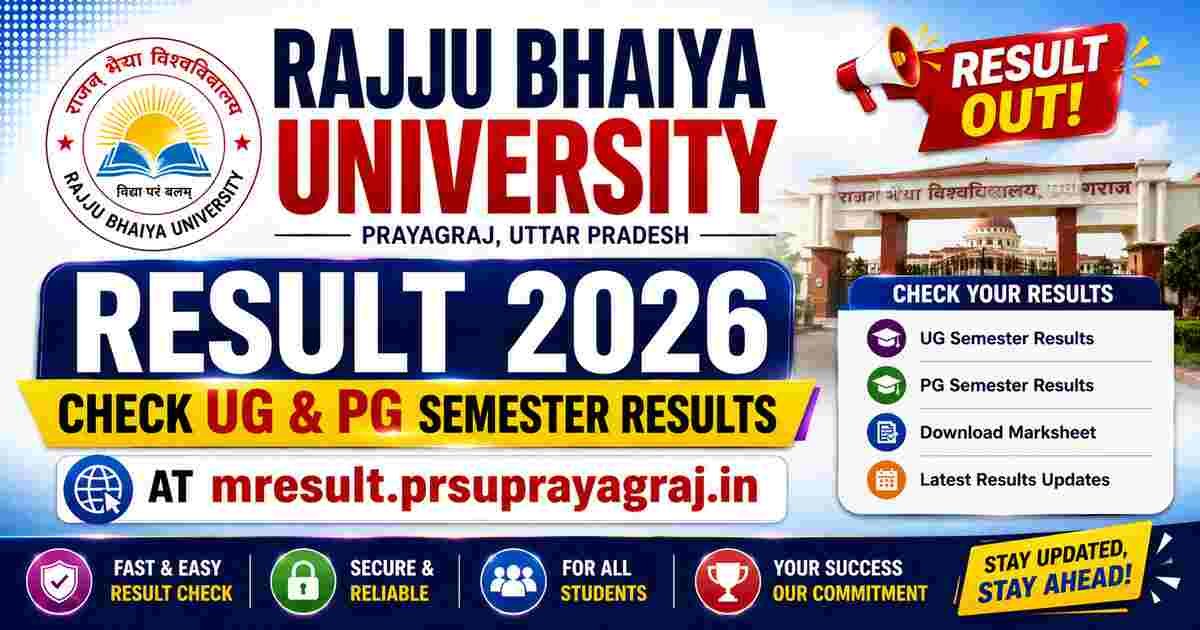
The Rajju Bhaiya University Result 2026 has been officially released for various Undergraduate (UG) and Postgraduate (PG) semester examinations by Prof. Rajendra Singh (Rajju Bhaiya) University, Prayagraj. Students who appeared for the semester or annual examinations can now check their results online through the official result portal at mresult.prsuprayagraj.in.
The university has published results for several courses, including BA, BSc, BCom, BCA, BBA, MA, MSc, MCom, LLB, B.Ed., MBA, and other programmes. Students need their Roll Number or Enrollment Number to access their scorecards.
Rajju Bhaiya University Result 2026 Overview
| Particular | Details |
|---|---|
| University Name | Prof. Rajendra Singh (Rajju Bhaiya) University, Prayagraj |
| Popular Name | Rajju Bhaiya University (PRSU) |
| Exam Name | UG & PG Semester Examination 2026 |
| Courses | BA, BSc, BCom, BBA, BCA, MA, MSc, MCom, MBA, LLB, B.Ed. & Others |
| Result Status | Released |
| Result Mode | Online |
| Academic Session | 2025-26 |
| Result Portal | mresult.prsuprayagraj.in |
| Official Website | prsuprayagraj.in |
Rajju Bhaiya University Result 2026 Latest Update
Prof. Rajendra Singh (Rajju Bhaiya) University has started releasing semester examination results for various undergraduate and postgraduate courses. Candidates can now check their marks by visiting the official result portal and entering the required login credentials.
The university is publishing results course-wise. Students whose results are not yet available are advised to keep checking the official website regularly, as remaining results will be announced in phases.
How to Check Rajju Bhaiya University Result 2026
Follow these steps to download your result:
- Visit the official result portal.
- Click on the UG/PG Result 2026 link.
- Select your course and semester.
- Enter your Roll Number or Enrollment Number.
- Click on the Submit button.
- Your result will appear on the screen.
- Download and print the provisional marksheet.
Details Mentioned on the Scorecard
After downloading the result, verify the following details carefully:
- Student Name
- Father’s Name
- Roll Number
- Enrollment Number
- Course Name
- Semester/Year
- Subject-wise Marks
- Total Marks
- Result Status (Pass/Fail)
- Division/Grade
Courses Available in Rajju Bhaiya University Result 2026
The university has released results for numerous programmes, including:
- BA
- BSc
- BCom
- BBA
- BCA
- MA
- MSc
- MCom
- MBA
- LLB
- BALLB
- B.Ed.
- M.Ed.
- B.Lib.
- M.Lib.
- Diploma Courses
- Certificate Courses
Additional course results will continue to be uploaded on the official portal.
What to Do After Checking the Result?
After downloading your result:
- Verify all details carefully.
- Save a PDF copy of your marksheet.
- Take a printout for future reference.
- Contact the university immediately if any discrepancy is found.
- Apply for scrutiny or revaluation (if applicable) within the prescribed dates.
- Collect the original marksheet from your college after it is issued.
Documents Required to Check the Result
Students should keep the following details ready:
- Roll Number
- Enrollment Number
- Date of Birth (if required)
- Stable Internet Connection
Rajju Bhaiya University Revaluation Process
Students who are not satisfied with their marks can apply for:
- Revaluation
- Scrutiny
- Photocopy of Answer Sheet (if available)
The university will release separate notifications regarding the application dates, fee, and procedure.
Important Dates
| Event | Status |
|---|---|
| Semester Examination | Completed |
| Result Declaration | Released |
| Marksheet Download | Available |
| Revaluation Form | To Be Announced |
Direct Link to Check Rajju Bhaiya University Result 2026
Students can check their semester examination results online through the official result portal by entering their Roll Number or Enrollment Number. Click Here
Frequently Asked Questions (FAQs)
Q1. Has Rajju Bhaiya University Result 2026 been released?
Answer: Yes, the university has released UG and PG semester examination results for various courses.
Q2. Where can I check Rajju Bhaiya University Result 2026?
Answer: You can check your result through the official result portal mresult.prsuprayagraj.in.
Q3. Which courses are included in the released results?
Answer: Results are available for BA, BSc, BCom, BBA, BCA, MA, MSc, MCom, MBA, LLB, B.Ed., and several other courses.
Q4. What login credentials are required to check the result?
Answer: Students need their Roll Number or Enrollment Number.
Q5. Can I download my marksheet online?
Answer: Yes. A provisional marksheet can be downloaded from the official result portal.
Q6. What should I do if there is an error in my result?
Answer: Contact your college or the university examination department immediately for correction.
Q7. Is the online marksheet valid?
Answer: The online marksheet is provisional. Students should collect the original marksheet from their college.
Q8. Can I apply for revaluation?
Answer: Yes. The university will release a separate notification regarding scrutiny and revaluation.
Q9. What should I do if my result is not showing?
Answer: Verify your Roll Number, try again after some time, or wait if your course result has not yet been published.
Q10. Will the university release more results?
Answer: Yes. Remaining course and semester results will be published in phases.
Q11. How can I receive future result updates?
Answer: Regularly visit the university’s official website or your trusted education portal for the latest notifications.
Q12. Is there any offline method to check the result?
Answer: No. The result is available only through the official online portal.
Disclaimer: We are not affiliated with, endorsed by, or officially connected to Rajju Bhaiya University (Prof. Rajendra Singh (Rajju Bhaiya) University, Prayagraj) or any government authority. This article is published solely for informational purposes to help students access their UG & PG semester results. All trademarks, logos, and names belong to their respective owners. Students are advised to verify all result-related information through the official university website.